
ETI
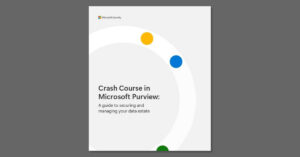
Data security, governance, and compliance handled by separate tools mean exposure gaps, manual work, and rising costs. This eBook walks through how to map and govern your data, protect it across apps, clouds, and devices, and manage risk and regulatory requirements, including generative AI data. Download your complimentary copy today. 🔐 @Microsoft Security
Read More
A road warrior, a graphic designer, and an IT admin rarely need the same laptop. This datasheet lines up the Samsung Galaxy Book5 and Book6 Series side by side, comparing displays, processors, security, and ports across seven models. Download the datasheet to see which configuration matches the way each of your people works. 💻 @SamsungMobile
Read More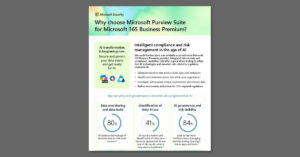
Generative AI moves faster than most data governance programs were built to handle. Microsoft Purview Suite, now an add-on to Microsoft 365 Business Premium, combines data security, compliance, insider risk management, data loss prevention, eDiscovery, and audit in one bundle with coverage for 350+ regional regulations. Read this one-pager to see the capabilities and the licensing savings side by side. 🔐 @Microsoft Security
Read More
Adding AI to a small business raises valid questions about protecting company data. This one-pager shows how Microsoft 365 Business Premium, Microsoft 365 Copilot Business, and Microsoft Purview Suite for Business Premium combine productivity, AI, and enterprise-grade security in one bundle at limited-time pricing. Check out the one-pager to see what each part covers and what the offer includes. 🔐 @Microsoft Security
Read More
Time is the scarcest resource in a small business, and drafting, summarizing, and pulling decisions out of data consume a lot of it. This video introduces Microsoft 365 Copilot Business, the AI assistant built into Microsoft 365 that handles that work alongside your team, with introductory pricing available to small and midsize businesses for a limited time. Watch the video to see what Copilot Business can take off your plate. ⏱ @Microsoft Security
Read More
First impressions matter when your device goes everywhere you work. 💼 See how a premium, ultra-slim laptop design supports mobility without compromise. @samsung-electronics
Read More
As AI agents multiply, so does the work of securing and governing them. Microsoft Agent 365 gives you one control plane to deploy, manage, and govern agents using the infrastructure and security protections you already rely on. Watch the video to see how Agent 365 helps you stay in control as agent use grows. 🛡️ @Microsoft Copilot
Read More
AI governance is increasingly seen as a key competitive advantage rather than merely a compliance necessity. Microsoft’s eBook, “Strategies for Governing AI,” delves into the creation of a governance framework that supports responsible innovation while mitigating risks related to security, privacy, and regulations. Discover actionable strategies for managing data, AI, and regulatory compliance to foster trustworthy AI on a large scale. 📘 Download your free copy of the eBook. @Microsoft Security
Read More
Complex, multistep research takes more than a quick answer. Researcher in Microsoft 365 Copilot now lets you choose between OpenAI’s deep reasoning models and Anthropic’s Claude Opus 4.1, all in one place. Watch the video to see how the right model can sharpen your next report. 🔍 @Microsoft Copilot
Read More
Complex, multistep research takes more than a quick answer. Researcher in Microsoft 365 Copilot now lets you choose between OpenAI’s deep reasoning models and Anthropic’s Claude Opus 4.1, all in one place. Watch the video to see how the right model can sharpen your next report. 🔍 @Microsoft Copilot
Read More